
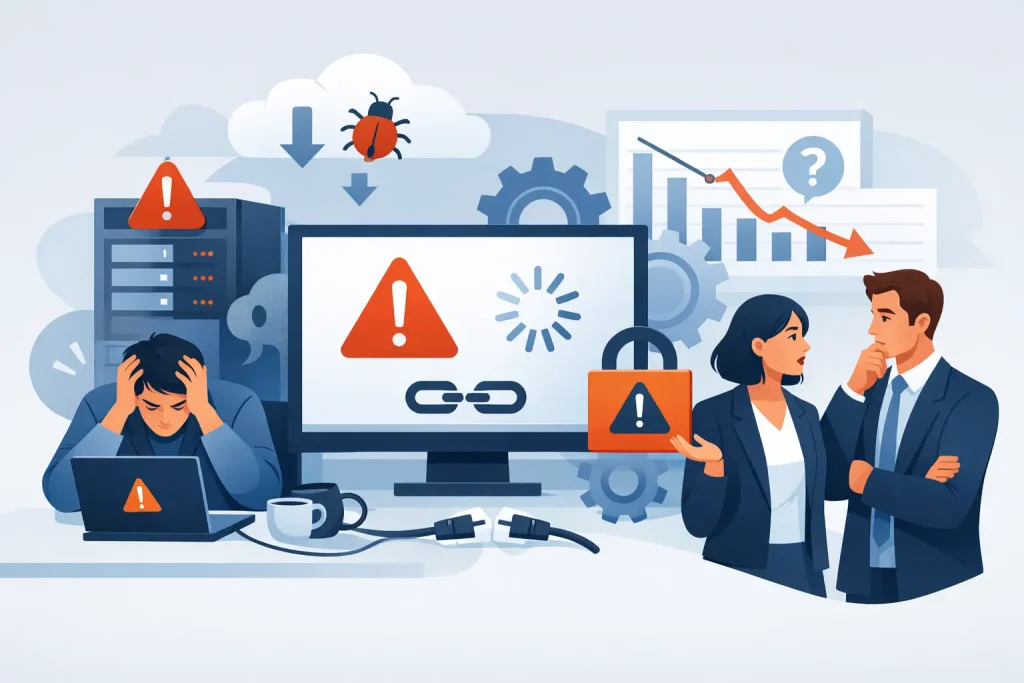
A member of staff cannot access a shared file, the phone system drops out, or a critical update has failed overnight. The immediate issue may be resolved eventually, but the wider question remains: why did it happen, and what is being done to prevent it recurring? The top signs IT support is failing are rarely confined to a single major outage. More often, they appear as repeated disruption, unclear ownership and a growing acceptance that technology is simply difficult to use.
For small and mid-sized businesses, poor IT support is not just an inconvenience. It consumes management time, interrupts customer service, creates security exposure and makes it harder to plan with confidence. Recognising the warning signs early gives the business an opportunity to correct the service before a routine fault becomes a serious operational incident.
Top signs IT support is failing
Problems are fixed, but they keep coming back
A support provider that only closes tickets can appear responsive while delivering very little long-term value. If users repeatedly report slow computers, unreliable Wi-Fi, printing issues, login failures or lost access to systems, the underlying cause may not be receiving proper attention.
A recurring fault needs investigation, documentation and a permanent remedy where possible. That may involve replacing ageing equipment, correcting network configuration, reviewing capacity or changing a process that creates avoidable errors. A useful support partner will identify patterns across incidents rather than treating every report as unrelated.
There are exceptions. Some issues arise from third-party software, a broadband fault or an unavoidable hardware failure. The important distinction is whether your provider explains the cause, manages the supplier where necessary and records the action taken to reduce the chance of repetition.
Support is reactive rather than managed
Reactive support has a place. Users need a clear route to report faults and receive help when something stops working. However, a business that only hears from its IT provider after a problem occurs is not receiving effective ongoing management.
Managed IT support should include routine monitoring, patching, backup checks, account reviews and planned maintenance. It should also provide visibility of risks that could affect the business, such as storage running out, unsupported software, expiring licences or a firewall approaching capacity.
If the provider is surprised by failures that monitoring should have identified, or repeatedly asks the business to report issues first, the service may be operating as a break-fix arrangement under a managed support label. That leaves staff carrying more technical responsibility than they should.
Response times are unclear or routinely missed
A support contract does not need to promise an instant fix for every request. Some faults require replacement parts, input from a software vendor or careful testing before changes can be made. What matters is that priorities are agreed, communication is prompt and progress is visible.
Warning signs include tickets left without acknowledgement, users having to chase for updates, and serious faults receiving the same treatment as minor requests. An outage affecting access to core systems should be handled differently from a request for a new monitor or an additional application.
Assess both response and resolution. A fast acknowledgement has limited value if the issue then stalls without ownership. Equally, a provider should not rush a change that could create further disruption. Good support balances urgency with controlled technical work and gives decision-makers realistic timescales.
Security is discussed only after an incident
Cybersecurity should be part of normal IT management, not a separate project raised after a suspicious email, compromised account or ransomware alert. If no one can clearly explain how user accounts are protected, whether devices are patched, or how backups are tested, the business has a material gap in oversight.
Common weaknesses include shared administrator accounts, former employees retaining access, inconsistent multi-factor authentication, unsupported operating systems and unmonitored endpoints. None of these guarantees an attack, but each increases the potential impact of human error or malicious activity.
A competent provider will be able to explain controls in business terms. For example, multi-factor authentication reduces the risk that a stolen password alone can expose email or cloud files. Regular backup testing confirms not merely that copies exist, but that essential data can be restored within an acceptable timeframe.
There is no credible recovery plan
Backups are essential, but they are not a complete continuity strategy. A business also needs to know which systems must be restored first, who has authority to make decisions during an incident, where staff can work if the office is inaccessible and how customers or suppliers will be informed.
If the answer to a server failure or cyber incident is simply “we have backups”, ask when recovery was last tested and how long it would take. A backup may be technically valid but too old, incomplete or slow to restore for the needs of the organisation.
Recovery objectives depend on the business. A professional services firm may be able to tolerate several hours without a non-critical archive, while an organisation relying on live bookings, stock control or customer communications may need a much shorter recovery period. Your IT support should help define those priorities rather than assume them.
Technology decisions are made without a plan
A failing support relationship often produces a patchwork estate: different versions of software, unrecorded devices, overlapping subscriptions and equipment kept in service well beyond its sensible lifespan. Costs then arrive unexpectedly because hardware is replaced only after failure, licences are renewed without review, and project work is treated as an emergency.
Technology planning does not require a complex strategy document. It does require an accurate asset record, a reasonable replacement cycle and regular conversations about upcoming business needs. Opening a second site, increasing remote working, adopting a new line-of-business system or employing more staff all have infrastructure and security implications.
A provider should make recommendations that are proportionate to the organisation. The most expensive solution is not automatically the safest or most appropriate. Equally, delaying necessary investment can create greater cost through downtime, poor performance and avoidable risk.
Communication is overly technical or too vague
Business leaders do not need every technical detail, but they do need clear information to make decisions. If reports are full of unexplained jargon, or if recommendations amount to “this needs upgrading” without a reason, cost, risk assessment and timeframe, IT support is not serving the organisation effectively.
The opposite problem is equally concerning: vague reassurance with no documented evidence. Regular service reviews should cover outstanding risks, significant incidents, security status, planned changes and budget implications. This creates accountability on both sides and prevents surprises.
Good communication also extends to staff. Users should know how to request help, what information to provide and how to recognise suspicious activity. A support provider that treats users as an inconvenience will struggle to improve the wider technology environment.
What to do if the warning signs are present
Start by gathering evidence rather than relying on isolated frustrations. Review recent tickets, downtime records, recurring faults, outstanding recommendations and any security incidents. Speak to employees who use critical systems daily, as they will often identify practical issues that are not visible in a monthly report.
Then ask your current provider direct questions: what are the three largest technical risks, when were backups last restored successfully, which systems are approaching end of life, and what preventative work has been completed in the past quarter? Clear, evidenced answers are a positive sign. Defensiveness, uncertainty or repeated promises without action are not.
Changing provider is not always necessary. A well-defined improvement plan, better reporting and firmer service expectations may restore a relationship that has drifted. If confidence has been lost, however, an independent review can clarify the condition of your infrastructure, security controls and support arrangements before you make a decision.
Dependable IT support should reduce uncertainty, not add to it. The right partner gives your team a clear route to help, protects the systems your business depends on and makes technical risk easier to understand and manage.