
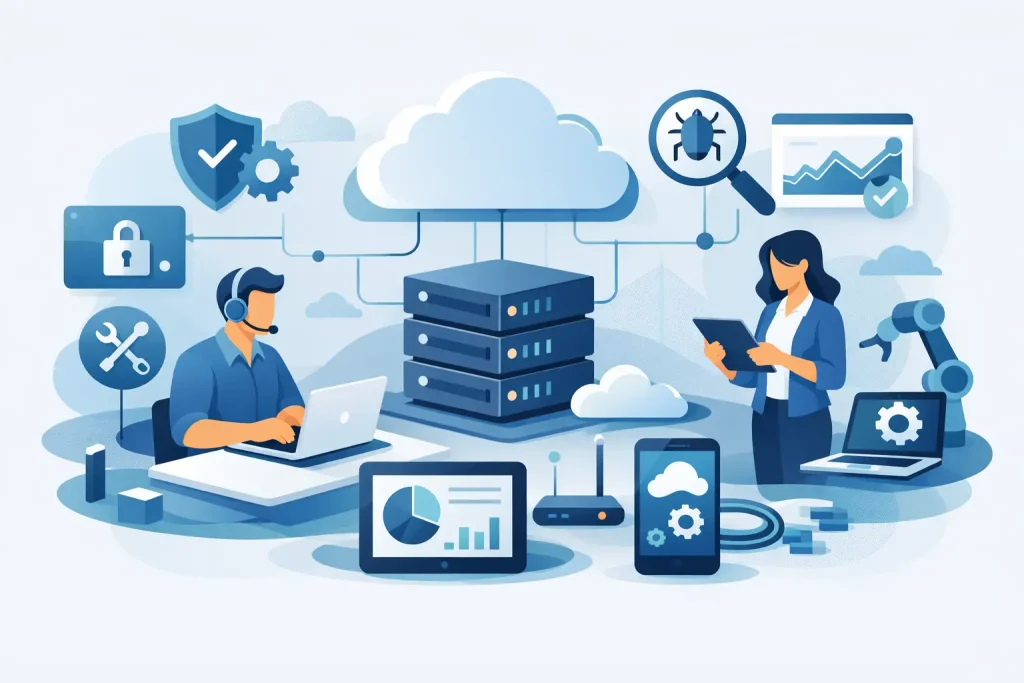
When a business starts losing time to recurring IT issues, the question usually changes from “who can fix this?” to “who can take ownership of it properly?”. That is where managed services come in. If you are asking what does managed IT include, the short answer is ongoing responsibility for the systems, support and safeguards your business depends on every day.
That sounds broad because it is. Managed IT is not a single product. It is a service model built around keeping technology stable, secure and fit for purpose over time. For small and mid-sized organisations, it often replaces the need to build a full internal IT function. For businesses with some in-house capability, it can fill gaps in specialist skills, coverage or capacity.
What does managed IT include in practice?
In practice, managed IT usually includes user support, device management, network administration, cyber security oversight, patching, backups, cloud management and strategic guidance. The exact mix depends on the business, its systems and its risk profile, but the core idea is consistent: your provider does not simply react when something breaks. They monitor, maintain and improve your environment as an ongoing service.
That proactive element matters. Traditional break-fix support waits for failure, then charges to resolve it. Managed IT aims to reduce the number of failures in the first place. It also gives businesses clearer accountability, more predictable costs and a defined service relationship rather than ad hoc technical help.
Service desk and day-to-day user support
For most organisations, this is the most visible part of managed IT. Staff need help with login issues, software errors, printer problems, email access, shared drives, mobile devices and all the small interruptions that slow work down. A managed IT provider typically operates a service desk to handle those requests, prioritise incidents and resolve problems within agreed response targets.
Good support is not just about answering tickets quickly. It is about reducing repeat issues, documenting fixes and spotting patterns that point to a wider problem. If five users are reporting the same issue, the real value lies in addressing the root cause rather than processing five separate calls.
There is also a practical business consideration here. Smaller organisations often rely on one capable internal person who becomes the default IT contact despite having another full-time job. Managed support removes that operational burden and gives staff a clear route for technical assistance.
Monitoring, maintenance and patch management
A managed IT service normally includes continuous monitoring of key systems such as servers, workstations, firewalls, networks and business-critical services. Monitoring helps identify faults, unusual behaviour, capacity issues and early warning signs before they become visible outages.
Maintenance sits alongside that. Software updates, operating system patches, firmware upgrades and routine health checks are all part of keeping systems reliable and protected. This is one of the less visible but more valuable parts of managed IT because neglected maintenance is a common cause of downtime and security exposure.
There is a balance to strike, though. Not every update should be applied the moment it appears. In some environments, patching needs to be scheduled around business operations or tested first to avoid disruption to legacy applications. A competent provider manages that trade-off rather than treating every estate the same way.
Cyber security management
Security is now central to managed IT, not an optional add-on. Most managed service arrangements include endpoint protection, security monitoring, access control, vulnerability management, multi-factor authentication guidance and security policy support. Depending on the agreement, it may also include email filtering, web protection, firewall management and incident response support.
For many businesses, this is where outsourced IT brings the greatest value. Cyber risk is no longer limited to large enterprises. Smaller organisations are frequently targeted because they often have weaker controls, fewer internal resources and less time to manage threats consistently.
That said, managed IT does not remove all security responsibility from the client. Staff behaviour, approval processes, password discipline and internal governance still matter. A provider can implement controls and monitor risk, but security remains strongest when technology and business practice are aligned.
Backup and business continuity
If systems fail, files are deleted or data is encrypted by ransomware, recovery capability becomes more important than the original incident. Managed IT commonly includes backup monitoring, backup policy management, recovery testing and continuity planning support.
This area is often misunderstood. Having a backup product in place is not the same as having a workable recovery plan. Businesses need to know what is backed up, how often it runs, how long data is retained and how quickly services can be restored. Those are practical operational questions, not technical footnotes.
Business continuity may also extend beyond data backup. It can include failover arrangements, cloud resilience, hardware replacement planning and procedures for maintaining operations during an outage. The right level of continuity depends on the cost of downtime to your business. A company that can tolerate a few hours of disruption needs a different setup from one that cannot function without constant access to systems.
Network and infrastructure management
Managed IT usually includes oversight of the underlying infrastructure that keeps users connected and systems available. That can cover routers, switches, wireless networks, firewalls, on-site servers, virtual environments and connectivity between offices or remote users.
Infrastructure management is about more than keeping the lights on. Performance, resilience and security all sit here. Slow network performance may look like a user issue, but the cause could be poor configuration, ageing hardware or a bandwidth bottleneck. Managed services help keep these core systems reviewed, documented and maintained.
This is also where planning becomes important. Infrastructure that was suitable for a twenty-person office may no longer be appropriate for a distributed workforce with cloud applications, video meetings and higher security demands. A managed provider should help assess whether the environment still fits how the business actually operates.
Cloud services and Microsoft 365 administration
Most businesses now use cloud platforms in some form, whether for email, file storage, collaboration, hosted servers or line-of-business applications. Managed IT often includes administration of Microsoft 365, user account management, licence control, access policies, SharePoint and Teams support, and oversight of cloud-hosted workloads.
Cloud services can simplify parts of IT, but they do not run themselves. Permissions become messy, unused licences accumulate, data sprawl increases and security settings are often left at default levels. Managed administration brings order to that environment and reduces the risk of misconfiguration.
For businesses moving systems into the cloud, managed IT may also include migration planning and post-migration support. This matters because cloud adoption is not automatically a cost saving. Done well, it improves flexibility and resilience. Done poorly, it can increase spend and complicate control.
Asset management and lifecycle planning
A managed IT provider will often keep records of devices, software versions, warranties, licences and system dependencies. This sounds administrative, but it has real value. Without visibility, businesses tend to replace hardware too late, miss renewals, duplicate software or continue relying on unsupported systems.
Lifecycle planning helps avoid rushed decisions. If laptops, servers or network equipment are approaching end of life, replacement can be budgeted and scheduled rather than handled as an emergency. That reduces disruption and lowers the chance of unsupported equipment creating security or compatibility problems.
Strategic advice and vendor coordination
Managed IT should not stop at technical administration. A strong provider also helps businesses make better decisions about systems, risk and investment. That may include IT roadmapping, budgeting advice, technology reviews, compliance support and recommendations for improving resilience or efficiency.
Vendor coordination is another practical part of the service. Many organisations deal with internet providers, software vendors, phone systems, printers and specialist application suppliers. When something fails, responsibility can become fragmented very quickly. Managed IT can provide a single point of contact to coordinate those parties and push issues through to resolution.
For decision-makers, this is often where the service becomes most valuable. You are not just paying for tools or troubleshooting. You are gaining a partner that can interpret technical issues in business terms and help you avoid expensive uncertainty.
What managed IT may not include
The term covers a lot, but not everything is always included in a standard agreement. Large infrastructure projects, major cloud migrations, office relocations, software development and specialist compliance work may sit outside the monthly service and be quoted separately.
That is not a weakness in the model. It simply reflects the difference between ongoing operational support and one-off project work. The important point is clarity. Businesses should know what is covered, what falls outside scope and what response and escalation standards apply.
If you are comparing providers, ask how they handle onboarding, after-hours support, security incidents, third-party systems and strategic reviews. Managed IT services can look similar on paper while differing significantly in coverage and maturity.
The right arrangement is one that fits your business as it is now, while giving you enough structure to support what comes next. For organisations that need dependable external expertise, managed IT should feel less like buying support and more like putting proper operational ownership around the technology your business relies on every day.