
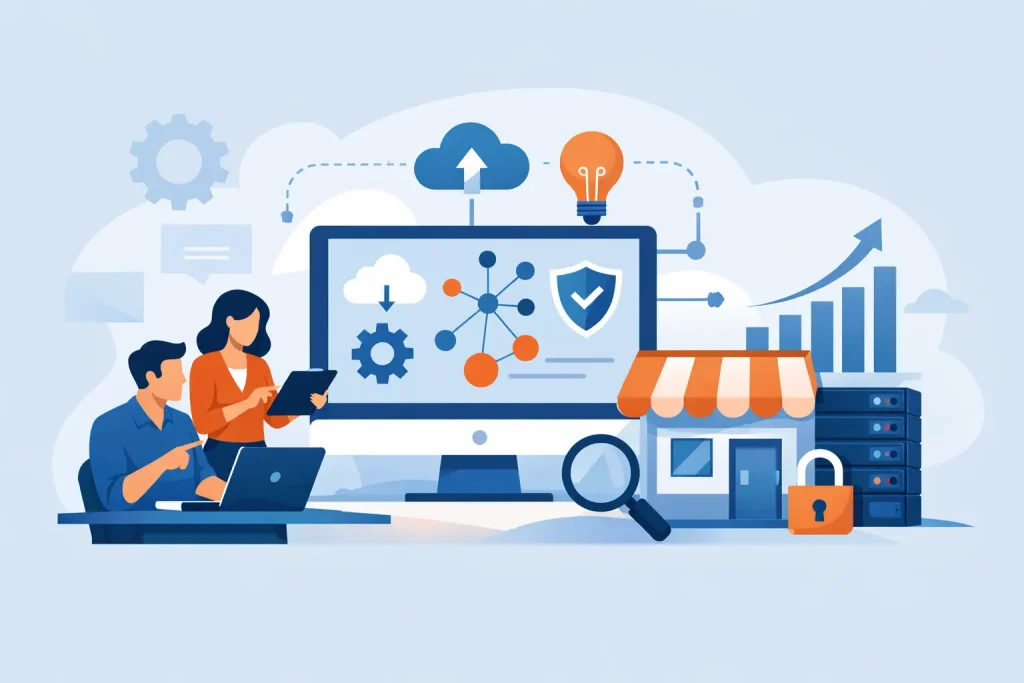
A server fails on a Monday morning, staff cannot access files, and no one is quite sure who is responsible for fixing it. That is usually the point when an IT strategy for small business stops sounding like a planning exercise and starts looking like an operational necessity. For smaller organisations, the issue is rarely a lack of ambition. It is more often a lack of time, internal expertise, and a clear plan for how technology should support the business.
Small businesses do not need complicated technology roadmaps full of jargon. They need a practical framework that keeps systems available, protects data, supports staff, and avoids waste. A good strategy does not begin with products. It begins with business priorities, known risks, and a realistic view of what the organisation can support day to day.
What an IT strategy for small business should actually do
At a basic level, an IT strategy should answer a few direct questions. What systems does the business rely on most? What would the impact be if they failed? Where are the current security weaknesses? Which technology investments are necessary now, and which can wait?
For a small business, the aim is not to build an enterprise-grade environment with every possible feature. It is to create a stable, secure, supportable setup that fits current needs and can scale without causing disruption. That usually means reducing points of failure, standardising where possible, and making sure responsibility for support, security, and maintenance is clearly defined.
This is also where many businesses go wrong. They add systems over time in response to immediate needs. One cloud tool solves one problem, a new laptop purchase solves another, and a broadband upgrade fixes a short-term bottleneck. Individually, those decisions may be reasonable. Collectively, they often create fragmented infrastructure, inconsistent security controls, and rising support costs.
Start with business risk, not technology
The strongest IT plans are built around operational risk. If your phones, internet connection, file access, customer records, or finance systems are unavailable for half a day, what happens? If a member of staff clicks on a malicious attachment, how quickly could the issue spread? If a laptop is lost, is sensitive data exposed?
These are not abstract concerns. For small organisations, even a short disruption can affect client service, cash flow, and reputation. A practical strategy identifies the systems that matter most and then sets sensible priorities around protection and continuity.
That often includes backup and recovery, endpoint protection, user access controls, patching, and basic network resilience. It may also include documented procedures for onboarding staff, removing access when people leave, and responding to incidents. None of this is glamorous, but it is where day-to-day resilience is built.
There is also a cost judgement involved. Not every system requires the same level of redundancy, and not every business needs the same recovery target. A firm that relies heavily on live customer data and constant connectivity will need tighter controls than one with lower operational dependency. The right answer depends on how the business functions, not on a generic checklist.
Build around core systems and user needs
Technology should make work easier, not harder to manage. That sounds obvious, but many smaller businesses end up with a mixture of ageing hardware, duplicated software, and unclear ownership over key systems. A proper review of the current estate often reveals avoidable complexity.
Most small businesses should begin by looking at their core operational systems. These typically include email, file storage, collaboration tools, line-of-business software, internet connectivity, devices, telephony, and security controls. The question is whether these are dependable, properly maintained, and suitable for the way staff actually work.
For example, a business with remote and office-based staff may need stronger identity controls and better cloud-based access management than a business operating from a single site. A company handling regulated or sensitive information may need tighter permissions, logging, and retention controls. A business planning to grow through recruitment or additional locations needs infrastructure that can be replicated without rebuilding everything from scratch.
A useful IT strategy for small business should also address the user experience. If staff regularly work around slow systems, poor connectivity, or confusing software, productivity suffers and security habits often decline with it. People take shortcuts when systems get in their way. Reliable, consistent platforms are not just an efficiency issue. They support better compliance and reduce avoidable support demand.
Budgeting for stability, not just projects
One of the most common mistakes in smaller organisations is treating IT spend as occasional capital purchase rather than an ongoing operational requirement. Hardware is replaced only when it fails. Security is reviewed after an incident. Support is brought in when problems become visible.
That approach may appear cost-conscious in the short term, but it often leads to higher expense over time. Emergency fixes, extended downtime, rushed procurement, and unsupported systems all carry a price. A more effective model is to budget for continuity.
That means planning for device refresh cycles, software licensing, security tools, backup services, support coverage, and infrastructure improvements before failure forces the issue. It also means deciding what should be handled internally and what is better managed by an external specialist partner.
For many small businesses, outsourced IT support is the practical answer. Maintaining internal expertise across infrastructure, security, cloud administration, user support, and compliance is difficult without a dedicated team. An experienced provider can bring structure, monitoring, and accountability that would otherwise be hard to maintain. That is particularly valuable where the business depends on stable day-to-day operations but does not need a full in-house IT department.
Security needs to be built in from the start
Security cannot sit on the side of the IT plan as a separate concern. For small businesses, it needs to be part of every decision about systems, access, devices, and support.
The baseline is straightforward. Use multi-factor authentication where possible. Keep devices and software updated. Limit user permissions to what is actually required. Protect endpoints properly. Back up critical data and test recovery. Make sure leavers lose access promptly. Train users to recognise common threats such as phishing and credential theft.
Beyond that, the strategy should reflect the business’s actual exposure. A company with a mobile workforce, cloud-heavy systems, and customer data in multiple platforms needs stronger oversight than one with simpler requirements. Equally, businesses in regulated sectors may need formal policies, logging, and audit support that others can manage more lightly.
The main point is that security maturity should be proportionate but deliberate. Small business does not mean low risk. Attackers often target smaller organisations precisely because controls are weaker and internal oversight is limited.
Governance matters, even in a smaller business
Governance can sound like something reserved for larger organisations, but small businesses still need clear ownership. Someone should know which systems are in use, who approves changes, where data is stored, when contracts renew, and how incidents are escalated.
Without that structure, IT becomes reactive. Suppliers work in isolation, software is purchased without visibility, and no one has a complete picture of business risk. Even a modest governance framework can make a significant difference.
That might include a simple asset register, documented access processes, an agreed support model, quarterly reviews of risks and priorities, and a roadmap for upcoming changes. If an external provider is involved, expectations should be clear around response times, monitoring, reporting, and responsibility boundaries. Businesses working with a managed support partner such as Cyan IT often benefit from that operational discipline as much as from the technical support itself.
Review the strategy before growth exposes the gaps
Many IT weaknesses stay hidden until the business changes. A new office, more remote staff, a larger client contract, or a compliance requirement can quickly expose systems that were only just coping before. That is why strategy should be reviewed ahead of growth, not after it.
The review does not need to be complex. It should test whether the current environment can support the next stage of the business. Can new users be added quickly and securely? Are systems standardised enough to scale? Is reporting adequate? Are backup, recovery, and support arrangements still fit for purpose?
If the answer is no, the priority is not to buy everything at once. It is to set a sensible order. Address the highest operational risks first, then improve standardisation, supportability, and security over time. A staged plan is usually more effective than a wholesale rebuild, particularly in smaller organisations where budget and internal capacity are limited.
A sound IT strategy should give the business fewer surprises, clearer decisions, and more confidence in the systems it relies on every day. If your technology is central to serving customers, processing work, and protecting information, it deserves the same level of planning as any other business-critical function.