
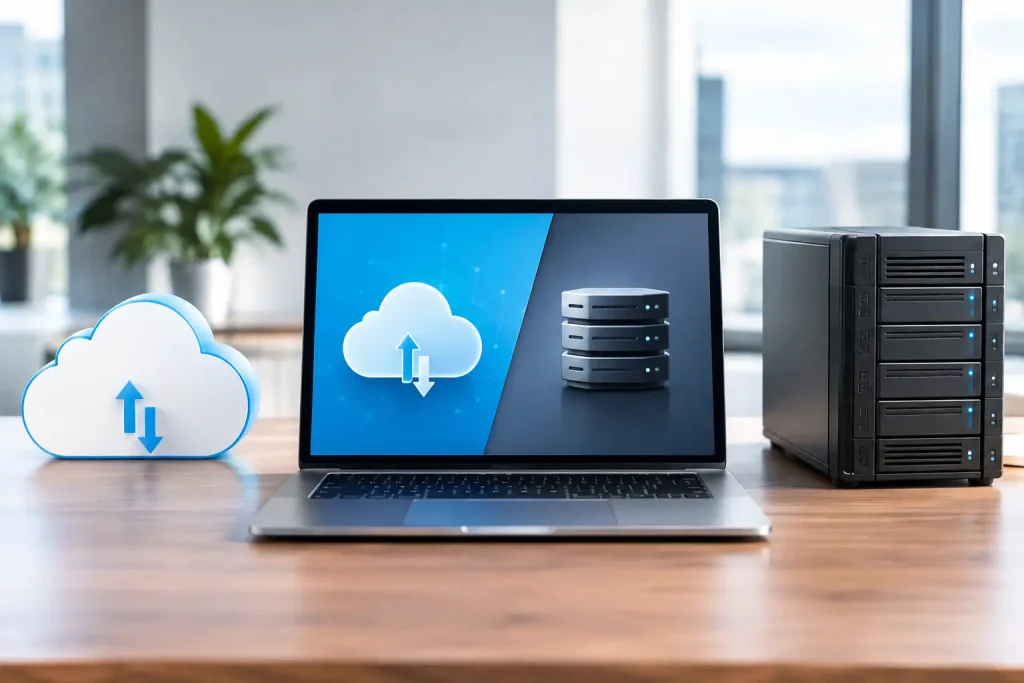
A file share that takes too long to open, cannot be reached from home, or exposes the wrong folder to the wrong person quickly becomes an operational problem. The question of cloud storage versus file servers is therefore not simply about where documents sit. It affects staff productivity, cyber risk, recovery from disruption and the day-to-day workload placed on whoever is responsible for IT.
For many small and mid-sized organisations, the right answer is not an absolute choice. Cloud services and on-premises file servers solve different problems well. The best design starts with how people work, what data they handle and how much control the business needs.
Cloud storage versus file servers: the practical difference
A traditional file server is a physical or virtual server that stores folders and files for users on a business network. It may sit in your office, a data centre or a privately hosted environment. Users generally access it through mapped network drives and permissions managed through their company accounts.
Cloud storage keeps files in a provider-operated platform and makes them available over the internet. In a business setting, this often means a document platform built around shared workspaces, browser access, synchronised folders and collaboration features. The provider maintains the underlying hardware, while your business remains responsible for managing users, access rights, retention and secure use.
The distinction matters because a file server is primarily designed for controlled central storage, while cloud storage is designed around access from different locations and devices. Neither model is automatically more secure or more suitable. Configuration, identity controls, backup arrangements and staff behaviour have as much influence as the platform itself.
When a file server remains the better fit
File servers still have a clear role in many organisations. They can provide fast local access to large files, predictable folder structures and close integration with line-of-business applications. A design practice working with sizeable project files, or a company running specialist software that expects a network drive, may find a local server performs better than an internet-dependent cloud workspace.
They also offer direct control over where data is held and how it is configured. For businesses with tightly defined technical requirements, this can be valuable. You can set storage capacity, encryption, permissions and access paths to suit the environment, rather than working within the limits of a standard cloud service.
That control comes with responsibility. The server needs hardware maintenance, patching, capacity planning, security monitoring and replacement before it becomes unreliable. It also requires a properly tested backup strategy. A backup disk sitting beside the server is not adequate protection against theft, fire, ransomware or a serious hardware failure.
Remote working is another consideration. Giving users secure access to a file server usually requires a virtual private network, remote desktop environment or carefully configured remote access service. These can work well, but they require ongoing management and should be protected with multi-factor authentication. A poorly secured remote access route can create a direct path into the business network.
Where cloud storage has an advantage
Cloud storage is often the practical choice for organisations with hybrid staff, multiple offices or regular collaboration with external parties. Users can work from authorised devices without relying on a connection back to a single office server. Version history and co-authoring can reduce the familiar problem of several copies of the same document being circulated by email.
It can also reduce the capital cost of replacing server hardware. Instead of buying storage capacity for several years in advance, the business pays an ongoing subscription that can normally grow or reduce with user numbers. This is useful for organisations that need clearer operational costs and do not want to maintain ageing equipment on site.
However, cloud storage does not remove the need for administration. Someone must decide who can create shared areas, who can share files externally, how long departed employees retain access and which devices are permitted to synchronise business data. Without these controls, convenience can result in excessive access and unmanaged copies of sensitive information.
Internet quality matters too. Staff may be able to access a cloud platform from almost anywhere, but large uploads, synchronisation and work on complex files are limited by available bandwidth and latency. A business with unreliable connectivity should assess this before moving its entire file estate to the cloud.
Security depends on the operating model
It is tempting to assume that files are safer on a server you own or, alternatively, safer with a major cloud provider. Both assumptions are incomplete. A well-managed platform is safer than a poorly managed one, regardless of where it is hosted.
For a file server, security should include supported operating systems, timely patching, restricted administrator access, endpoint protection, network segmentation and monitoring for unusual activity. Permissions should follow job roles rather than historical habit. If a member of staff changes department, their access should change with them.
For cloud storage, identity is central. Multi-factor authentication, conditional access rules and controlled device management make a substantial difference. External sharing should be limited by policy, reviewed regularly and set to expire where appropriate. Sensitive material may also require classification labels, encryption controls and restrictions on downloading to unmanaged devices.
Ransomware is relevant to both approaches. An infected device may encrypt files on a file server if the user has write access. It may also synchronise malicious changes into a cloud platform. Version history can help, but it should not be treated as a complete recovery plan. Businesses need separate, protected backups with tested restoration procedures and a clear understanding of how quickly priority data can be recovered.
Cost: look beyond the monthly price
A cloud subscription is straightforward to see on a monthly invoice, which can make it appear more expensive than a server already in the office. That comparison is rarely fair. A file server has costs that are often spread across several budgets: hardware refreshes, electricity, warranty cover, backup storage, licences, internet resilience, support time and recovery work when something fails.
Cloud storage has its own variables. Licence tiers, additional backup, security features, data migration, storage growth and support can all affect the total cost. Moving data without planning can also leave an organisation paying for duplicate systems longer than necessary.
The useful comparison is the total cost of providing a reliable service over three to five years. Include the cost of downtime, the demands on internal staff and the commercial impact if data cannot be accessed during an incident. For a small organisation, reducing administrative burden can be worth more than a modest difference in licence cost.
A hybrid model is often the sensible answer
Many businesses do not need to move every file to one place. A hybrid approach can retain a file server for specialist applications or high-volume working data, while placing general documents, team collaboration and remote access in cloud storage. This allows each workload to sit where it performs best.
The risk is creating confusion. Staff should know which platform is the authoritative location for a document type, how files are shared and which system is backed up. If teams use personal cloud accounts, email attachments and several shared drives alongside official storage, finding the correct version becomes difficult and control is lost.
A managed migration should begin with a review of existing data. Remove obsolete material, identify sensitive records, map permissions and agree a sensible folder or workspace structure before copying anything. Migrating years of duplicate files and broken permissions simply transfers old problems into a new environment.
How to make the decision
Start with the workload rather than the technology. Consider where staff work, whether they collaborate on the same documents, how large typical files are, which applications depend on network drives and what happens if internet access is interrupted. Then assess security and compliance requirements, recovery targets and the skills available to maintain the chosen platform.
A file server may be appropriate when local performance, specialist software or direct infrastructure control are the priority. Cloud storage is usually stronger where mobile access, shared working and lower on-site infrastructure demands matter most. A hybrid design can be the most proportionate option when both needs are genuine.
The key is to treat file storage as a business continuity service, not merely a place to keep folders. Cyan IT can help organisations assess their current file environment, close security gaps and build a storage approach that remains manageable as the business changes.