
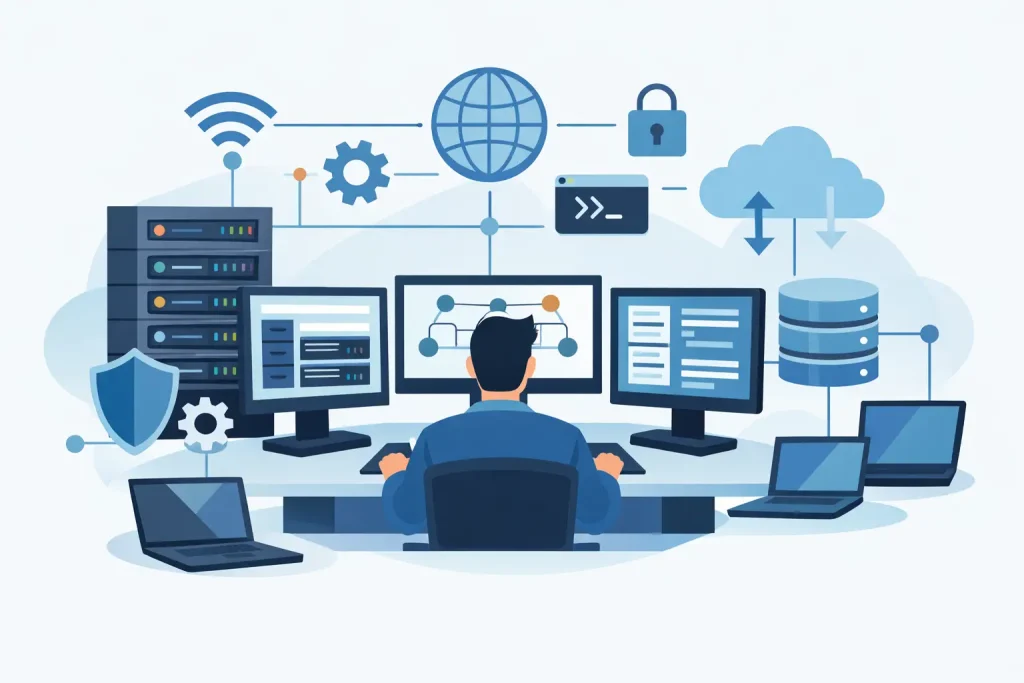
When a member of staff cannot log in, a shared folder stops syncing, or the internet connection drops across the office, the issue rarely sits in one place. It usually touches users, devices, permissions, servers, security settings and the network itself. That is the practical answer to what is network and system administration – the ongoing work of keeping all those moving parts available, secure and working together.
For many businesses, this function matters most when something breaks. In reality, good administration is less about firefighting and more about preventing disruption in the first place. It covers the day-to-day management of the IT environment so staff can work, data stays protected, and systems remain reliable as the business changes.
What is network and system administration in simple terms?
Network and system administration is the management of an organisation’s core IT infrastructure. It combines two closely related responsibilities.
Network administration focuses on connectivity. That includes local networks, internet access, Wi-Fi, switches, routers, firewalls, virtual private networks and the rules that control traffic between users, devices and services. The objective is to make sure people and systems can communicate safely and consistently.
System administration focuses on the platforms and devices that run the business. That includes servers, desktops, laptops, user accounts, operating systems, software deployment, storage, backups, cloud services and access control. The goal is to keep systems configured properly, updated, available and secure.
In smaller organisations, these responsibilities often sit with the same provider or the same IT team because the two areas are closely linked. A user login issue may relate to identity management on the system side, but the effect is felt across the network. A cloud application outage may appear to be a software problem, but poor firewall rules or DNS settings may be the real cause.
Why businesses rely on it
Most organisations do not need technology for its own sake. They need it to support operations, communication, finance, customer service and compliance. If the underlying infrastructure is poorly managed, those business activities become slower, riskier and more expensive.
Effective network and system administration reduces downtime, keeps staff productive and helps maintain control over risk. It ensures that devices are patched, user access is appropriate, backups are working and unusual behaviour is identified before it turns into a larger incident. For regulated sectors or businesses handling sensitive client data, it also supports auditability and security governance.
There is also a commercial point here. Problems caused by neglected administration are rarely isolated technical faults. They often lead to missed work, delayed customer responses, failed transactions or internal disruption. Businesses that treat administration as a background necessity rather than an operational discipline usually pay for it later through instability and reactive support costs.
What network administration involves
A business network is more than an internet line and a wireless password. It is the structure that connects staff, devices, offices, cloud services and external users. Administration in this area is about performance, resilience and control.
That includes configuring routers, switches and wireless access points so connectivity is reliable across the site. It means segmenting traffic where needed, such as keeping guest Wi-Fi separate from business systems. It also includes managing firewalls and remote access, especially for organisations with hybrid working arrangements.
Monitoring matters as well. A network can appear functional while still suffering from congestion, packet loss or intermittent failures that affect calls, cloud platforms or shared applications. Administration provides visibility into those issues so they can be identified and corrected before users lose confidence in the systems they rely on.
Security is central to network administration. Firewalls, content filtering, intrusion monitoring and secure remote connectivity all sit in this layer. If these controls are weak or poorly maintained, the network becomes an easy route for unauthorised access, malware movement or data exposure.
What system administration involves
System administration covers the platforms people use every day, even when they do not realise it. User accounts, passwords, software permissions, shared storage, business applications, device policies and server performance all sit within this scope.
A system administrator manages how users are created, what they can access and how systems are configured. They maintain operating systems, install updates, deploy software, monitor capacity and make sure backups can be restored when needed. In modern environments, this often includes Microsoft 365, cloud identity platforms, virtual servers and endpoint management tools as well as on-site equipment.
This work is not only technical maintenance. It is also about consistency. If each device is configured differently, if software versions drift, or if leavers retain access after they have gone, risk grows quickly. Good administration introduces standards so the environment is easier to secure, support and scale.
There is a people dimension too. Staff need systems that work as expected, with the right access and minimal friction. Administration supports that experience without relaxing control. That balance matters. Too much restriction can slow the business down, but too little creates avoidable exposure.
The difference between the two
Businesses often use the terms together because they overlap, but they are not identical.
Network administration is concerned with how data moves and how systems connect. System administration is concerned with the systems, devices and identities using that network. One manages the roads, the other manages the vehicles, destinations and rules for who can travel.
In practice, the boundary is not always neat. A printer issue might involve device configuration, permissions and network reachability. A cloud migration may require server changes, identity updates and firewall adjustments. That is why many organisations benefit from a joined-up approach rather than treating networks and systems as separate technical silos.
What good administration looks like
The standard is not perfection. Every environment has constraints, whether that is budget, legacy software, multiple sites or a mix of cloud and on-premise systems. Good administration means the environment is documented, monitored and maintained in a controlled way.
It also means there is a clear approach to patching, backups, access management, hardware lifecycle, antivirus protection, alerting and incident response. Problems should not depend on one person’s memory or on informal fixes that are never recorded. If a business grows, moves office, adds remote users or adopts new software, the infrastructure should adapt without becoming fragile.
For decision-makers, one of the clearest signs of effective administration is predictability. Staff know how to get support. Systems are stable. Changes are planned. Risks are reviewed. When incidents happen, recovery is structured rather than improvised.
In-house or outsourced?
This depends on the size of the business, the complexity of its systems and the internal capacity available. Some organisations have an internal IT lead but need external support for specialist areas or day-to-day monitoring. Others outsource the function entirely because maintaining a full in-house team is not practical.
Outsourcing can make sense where the requirement is continuous operational cover, broader technical depth and a more structured support model. An external partner can often provide monitoring, maintenance, security oversight and user support in a way that is difficult for one internal administrator to sustain alone. That said, outsourced administration still needs clear ownership, documentation and communication. The provider should operate as an accountable extension of the business, not as a disconnected helpdesk.
For firms that want stable infrastructure without carrying the overhead of a larger internal IT department, managed support is often the more efficient route. This is the space where a provider such as Cyan IT can add value by combining technical administration with continuity planning and responsive support.
Why this matters more now
The demands on business IT have changed. Staff work across offices, homes and mobile devices. Applications sit in the cloud as well as on local systems. Cybersecurity threats are more frequent, and insurance or compliance expectations are higher. At the same time, few small or mid-sized organisations have room for technical drift.
That makes network and system administration less of a background IT task and more of a business control function. It supports resilience, security and operational continuity. Without it, even simple environments become hard to manage and easier to compromise.
A useful way to think about it is this: if your business relies on connected systems to serve customers, manage information and keep staff productive, administration is not optional maintenance. It is the discipline that keeps your technology dependable when the business is under pressure.
The best time to assess it is before a failure forces the issue. If your systems feel fragmented, support is reactive, or no one has a clear view of how your infrastructure is performing, that is usually a sign the administration layer needs attention.