
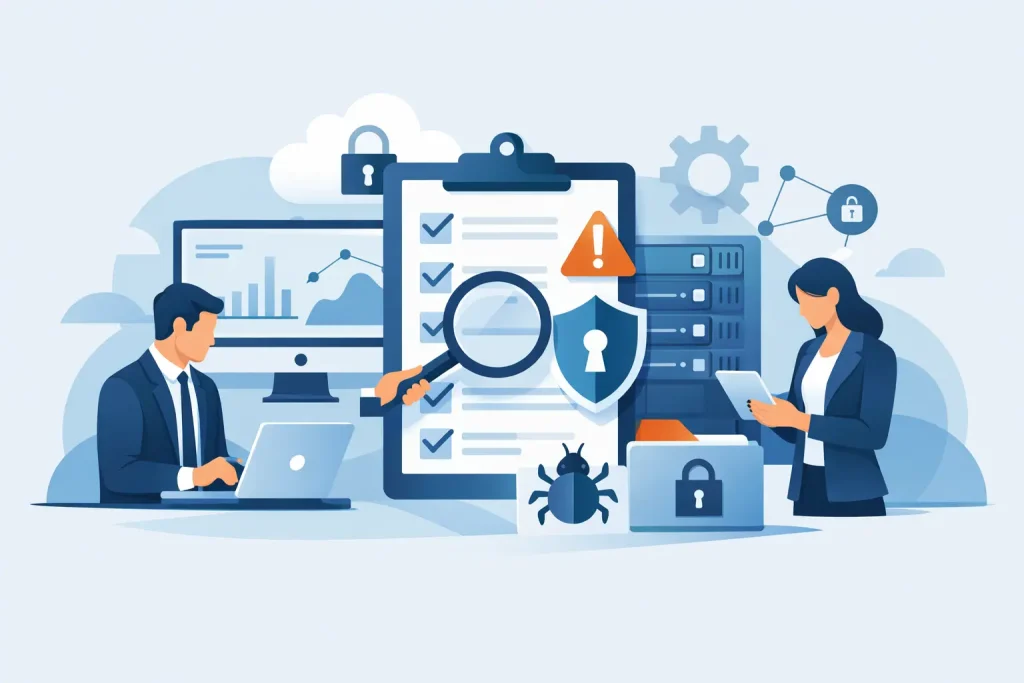
When a business discovers a serious IT weakness, it is rarely because the risk appeared overnight. More often, the warning signs were already there – unsupported devices, poor access controls, inconsistent backups, or suppliers with more system access than anyone realised. Knowing how to audit business IT risks means finding those weak points before they become disruption, data loss, or avoidable cost.
For most small and mid-sized organisations, the challenge is not a lack of concern. It is a lack of structure. Risks sit across hardware, software, cloud services, user behaviour, third-party suppliers, and day-to-day processes. If no one is reviewing the whole picture in a disciplined way, important gaps stay hidden until an incident forces them into view.
What an IT risk audit should actually do
An IT risk audit is not just a security checklist. It is a review of how technology supports the business, where that support is fragile, and what could interrupt operations, compromise data, or create compliance issues.
That matters because not every risk is a cyber attack in the narrow sense. A failed server, expired software support, poor patching, weak password controls, single points of failure, and undocumented systems can all create business risk. Some threats are malicious. Others are simply the result of ageing infrastructure, rushed decisions, or unclear ownership.
A useful audit should answer a few direct questions. What systems matter most to the business? What could reasonably go wrong? How likely is it? What would the impact be? And what controls are already in place, if any?
How to audit business IT risks step by step
The most effective approach is practical rather than theoretical. You are trying to build a clear view of exposure, not produce paperwork for its own sake.
Start with the systems the business depends on
Begin by identifying the technology that supports core operations. This usually includes servers, laptops, networks, cloud platforms, email, telephony, line-of-business applications, backup systems, and any third-party tools used to handle customer or financial data.
At this stage, completeness matters more than detail. If you do not know what assets and services exist, you cannot judge the risk properly. Many businesses find the first issue here: systems have grown over time, suppliers have changed, and nobody has a current, reliable record of what is in use.
It is also worth identifying who owns each system from a business perspective. IT may manage a platform, but operations, finance, sales, or customer service may rely on it in very different ways. A payroll system outage and a temporary issue with an internal meeting room tool do not carry the same weight.
Define what would count as a real business impact
Risk cannot be assessed in isolation from consequence. A vulnerability on a low-value device is different from a weakness affecting order processing, client records, or remote access.
For each critical system, consider the practical impact of failure or compromise. Would the business stop trading for a few hours? Would staff be unable to access key data? Would customers be affected? Could confidential information be exposed? Would there be regulatory or contractual implications?
This is where many audits become more useful. Instead of treating all IT issues as equal, you start to separate inconvenience from genuine operational risk.
Review threats and weaknesses together
A risk usually emerges from the combination of a threat and a weakness. For example, phishing remains common, but the level of risk rises sharply if staff have weak password habits, no multi-factor authentication, and broad access permissions.
Review each critical area for both external and internal exposure. External risks may include ransomware, business email compromise, internet-facing vulnerabilities, or supplier breach. Internal risks may include excessive user access, accidental deletion, unsupported software, poor device management, or a lack of documented recovery processes.
It is worth being realistic here. A perfect risk model is less useful than an honest one. If patching is inconsistent, say so. If backups exist but have not been tested recently, that is a weakness. If one employee is the only person who understands a critical platform, that is also a risk.
The areas every audit should cover
The exact scope will vary by business, but a proper audit normally includes the same broad control areas.
Access and identity controls
Review how users access systems, how accounts are created and removed, whether multi-factor authentication is enforced, and whether privileged access is tightly controlled. Former employees retaining access, shared accounts, and broad admin rights are common problems.
This area often reveals risk quickly because identity is central to nearly every system. If access controls are weak, other protections can be bypassed more easily.
Devices, servers, and infrastructure
Look at the condition and support status of laptops, desktops, servers, firewalls, switches, and wireless networks. Unsupported operating systems, inconsistent updates, poor endpoint protection, and unclear asset ownership all increase exposure.
Age is not the only issue. A well-maintained older system may present less risk than a newer one that is badly configured. The audit should focus on supportability, security posture, and operational dependency rather than simply the purchase date.
Data protection and backups
Identify where sensitive or business-critical data is stored, who can access it, how it is protected, and how it is recovered. Backups should not just exist – they should be monitored, retained appropriately, and tested.
This is one of the clearest examples of trade-off. Strong backup arrangements reduce recovery risk, but they also need administration, storage planning, and periodic testing. A business that has backups but cannot restore quickly still has a continuity problem.
Patch management and software control
Review whether security updates are applied consistently across operating systems, applications, firmware, and network devices. Also check whether software use is controlled or whether users can install tools without oversight.
Many incidents exploit known weaknesses that were left open too long. Good patching discipline does not remove all risk, but poor patching raises it significantly.
Suppliers and third parties
Most businesses rely on hosted platforms, software vendors, telecoms providers, payment tools, and external support partners. Those relationships can create hidden dependencies.
Assess which suppliers have access to systems or data, what assurances they provide, and how critical they are to operations. A small business can be heavily exposed through a third party without recognising it. This is especially relevant where multiple suppliers manage different parts of the environment and no one has end-to-end oversight.
Business continuity and recovery
An IT risk audit should test whether the business can continue operating if a key system fails. That includes backup recovery, alternative communication methods, internet resilience, cloud outage planning, and basic incident response.
It depends on the organisation, but continuity arrangements should match operational reality. A firm with remote staff, cloud systems, and tight customer service commitments needs a different recovery posture from a small office with low transaction volume.
Scoring and prioritising the findings
Once risks are identified, they need to be ranked. The simplest method is to score each issue by likelihood and impact. That helps distinguish between a minor technical weakness and an urgent control failure.
Be careful not to overcomplicate the scoring model. A practical audit should help decision-making. If the output is too technical for leadership to understand, priorities may not be acted on.
The better approach is to group findings into clear categories such as critical, high, moderate, and low, then explain what each issue means in business terms. For example, “backup jobs not tested in the last six months” is useful, but “recovery from data loss is not proven” is what prompts action.
Turning the audit into an action plan
An audit has limited value if it ends as a report. Each finding should lead to a clear action, an owner, a timescale, and a reason for priority.
Some issues will need immediate remediation, such as exposed remote access, unsupported firewalls, or privileged accounts without proper controls. Others can be planned into a longer roadmap, such as hardware refresh, network redesign, or policy development.
This is also where budget and risk tolerance come into play. Not every weakness can be removed at once. The goal is to reduce meaningful exposure first, especially where the cost of failure is far higher than the cost of prevention. For organisations without a full internal IT function, a managed partner such as Cyan IT can help translate audit findings into a workable remediation plan rather than a list that sits untouched.
Common mistakes when auditing IT risks
The most common mistake is treating the exercise as a one-off. Risks change when staff join or leave, systems are added, suppliers change, or the business adopts new software.
The second is focusing only on cyber threats and ignoring operational resilience. Security matters, but so do backup integrity, documentation, asset visibility, and recovery capability.
The third is assuming policies alone are controls. A written rule is useful, but it is not the same as enforced multi-factor authentication, monitored backups, or tested recovery procedures.
A sound IT risk audit gives decision-makers something more valuable than a technical snapshot. It provides a clear view of where technology could let the business down, what that would mean in practice, and what should be fixed first. The right time to do that work is before the next outage, breach, or failed recovery test makes the priorities obvious for you.