
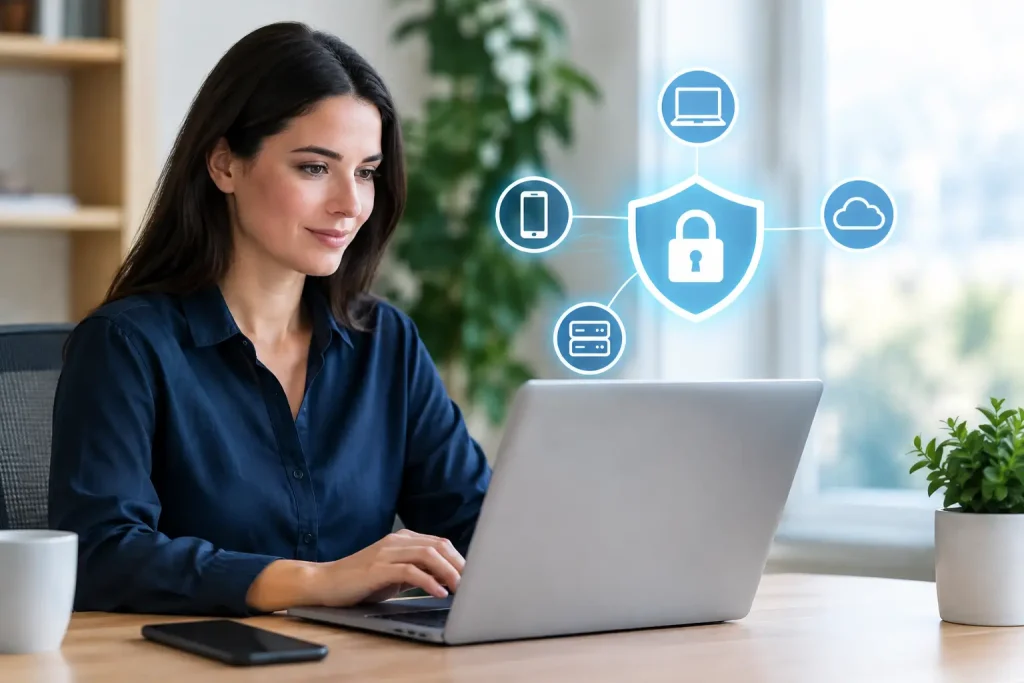
A remote worker’s laptop can become a direct route into your business systems. That is why knowing how to secure remote access is not simply a technical exercise. It is a decision about who can reach company data, from which devices, under what conditions, and how quickly access can be removed if something goes wrong.
For small and mid-sized businesses, the challenge is usually not a lack of security products. It is making sure the controls already in place work together without making ordinary work unnecessarily difficult. A secure remote access approach should support staff, protect client information and give management confidence that business systems remain under control outside the office.
Start with identity, not the network
Remote access should begin with a verified user identity. Traditional perimeter security assumed that users were working from a known office network. That assumption no longer holds when staff work from home, travel between sites or use cloud applications from different locations.
Every user should have an individual account. Shared logins make it difficult to establish who accessed information, and they create a serious problem when an employee leaves or changes role. Individual accounts also allow access rights to be based on job requirements rather than convenience.
Multi-factor authentication should be required for email, cloud platforms, remote desktop services, virtual private networks and any system containing sensitive business information. A password alone can be guessed, reused from another breached service or obtained through a convincing phishing email. Multi-factor authentication adds a second check, such as an authenticator app, security key or approved device prompt.
The method matters. SMS codes are better than passwords alone, but authenticator apps and hardware security keys can offer better protection against some account takeover attempts. The right choice depends on the systems in use, the level of risk and how readily staff can adopt the process.
Apply least-privilege access
Users should have the minimum access needed to complete their work. A sales colleague may need customer records but not finance folders. An external accountant may need limited access during a reporting period, not permanent access to every shared file.
Administrative privileges need particularly close control. Administrator accounts can change settings, create new users and install software, so they are a high-value target. IT administrators should use separate, protected accounts for privileged work rather than carrying elevated access into everyday email and web browsing.
Review access when somebody joins, changes role or leaves. Delayed removal of accounts is one of the most avoidable remote access risks. A clear offboarding process should disable accounts, revoke active sessions, recover company devices and remove access from third-party platforms without delay.
How to secure remote access with managed devices
A strong login cannot fully protect an unmanaged or compromised device. If a laptop has malware, an unpatched operating system or an unauthorised user account, a legitimate sign-in may still expose company data.
Company-owned devices should be enrolled in a central management platform. This allows IT to confirm that security updates are installed, disk encryption is active, antivirus or endpoint protection is working and screens lock automatically. It also gives the business the ability to remove corporate data or disable a device if it is lost or stolen.
Personal devices need a careful policy. Some businesses can support bring-your-own-device arrangements, but only where controls are practical and agreed in advance. At a minimum, personal devices used for business should meet defined security standards, have supported software versions and keep work data separate from personal files where possible.
For higher-risk work, company-managed equipment is normally the safer option. It provides clearer ownership, consistent configuration and a more reliable response if an incident occurs. The additional cost is often easier to justify than investigating a data breach caused by an unprotected personal laptop.
Staff should not routinely have local administrator rights. Limiting these rights reduces the chance that unapproved software, browser extensions or malicious programmes can be installed. Where specialist applications are required, IT can approve and deploy them through a controlled process.
Protect the connection, but do not rely on it alone
A virtual private network, or VPN, can still be useful when staff need to reach internal servers or line-of-business applications. It encrypts traffic between the device and business network, which is particularly valuable when a user is working on home broadband or public Wi-Fi.
However, a VPN is not a complete remote security strategy. Once connected, an over-permissioned user or infected device may be able to access more of the network than intended. VPN access should therefore be limited by role, protected with multi-factor authentication and monitored for unusual activity.
Where applications can be safely accessed through secure cloud services, this may reduce the need to expose internal systems remotely. The best approach depends on the application, data sensitivity, existing infrastructure and operational requirements. Some legacy systems will still require remote desktop or VPN access, but these services should never be exposed directly to the internet without proper protection.
Separate critical systems from standard user networks where possible. Network segmentation can contain an incident by preventing a compromised user device from moving freely to servers, backups or other sensitive systems.
Make email and cloud collaboration part of the plan
For many businesses, email is the main route into remote systems. A stolen Microsoft 365 or Google Workspace account can give an attacker access to correspondence, shared files, contacts and password reset messages. It can also be used to send convincing fraudulent requests internally or to customers.
Protect cloud accounts with multi-factor authentication, conditional access rules and audit logging. Conditional access can prevent sign-ins from unsupported devices, block known risky locations or require extra verification when behaviour changes. These controls should be configured carefully so legitimate staff are not locked out during normal travel or urgent work.
File-sharing permissions deserve the same attention as application permissions. Avoid broad shared folders that allow every employee to view confidential records. Review external sharing regularly, particularly for folders created for clients, suppliers or short-term projects. Links that grant ongoing access should have expiry dates where the platform supports them.
Prepare people for the decisions attackers exploit
Remote access security relies on staff making sensible decisions when IT is not sitting nearby. Phishing emails, fake support calls and fraudulent password reset prompts target people because they can bypass technical controls when someone is persuaded to approve a login or disclose information.
Training should be practical and repeated. Staff need to recognise unexpected sign-in prompts, urgent payment requests, unusual document-sharing invitations and calls claiming to be from IT support. They should also know how to report a concern quickly, without worrying that they will be blamed for raising it.
A simple rule is valuable: no one should approve a multi-factor prompt they did not initiate. Repeated prompts may indicate that an attacker already knows the password and is trying to pressure the user into approving access.
Clear remote working guidance should also cover home routers, public Wi-Fi, physical privacy and safe storage of company equipment. Not every employee needs a technical explanation, but every employee needs to understand the behaviours expected of them.
Monitor access and practise the response
Security controls require oversight. Review authentication logs, failed sign-ins, changes to privileged accounts and unexpected data-sharing activity. Small businesses do not necessarily need a full internal security operations centre, but they do need someone accountable for reviewing alerts and responding to credible warnings.
A documented incident process turns a worrying event into a controlled response. If a device is lost or an account is suspected to be compromised, staff should know exactly who to contact. The response may include disabling the account, revoking sessions, resetting passwords, isolating the device and checking whether files or emails were accessed.
Backups are equally relevant. Remote workers often create or amend important data outside the office, so backup arrangements should cover cloud services and key business applications, not only on-site servers. Test restoration regularly. A backup that has never been restored is an assumption, not a recovery plan.
Build security into everyday support
The most effective remote access controls are maintained rather than installed once and forgotten. Software updates, leaver checks, permission reviews and device compliance reporting should be part of normal IT operations. This is where a managed IT partner can provide value: not merely supplying tools, but maintaining the discipline around them.
Cyan IT works with businesses that need this level of practical oversight without building a large in-house IT function. The aim is to keep access controlled, systems available and security decisions proportionate to the way the organisation actually works.
Remote work does not have to mean reduced control. Start by identifying every route into your systems, assign ownership for each one and close the gaps that depend on trust alone. A well-managed access process gives staff the freedom to work while keeping the business in charge.